


G-Code Commands: Meanings, Commands and Simulators
IQS Directory EditorialUpdated 2 chapters
6 leading suppliers listed with this guide
Browse CNC machining suppliersContents (2 chapters)
This Article takes an In-depth look at the M-Code Plain Text Language
You will learn more about topics such as:
- G-Codes and Their Meaning
- Fanuc G-Code List (Lathe)
- Fanuc G-Code List (Mill)
- The Importance of Subprograms and Macros in CNC Programming
- What is CNC Machining Mini Article
G-Codes and Their Meaning
G-code is the name of a plain text language that is used to guide and direct CNC machines. For most modern CNC machines, it isn‘t necessary to know the meaning of G-codes since CAD and CAM software is translated into G or M codes to instruct a CNC machine on how to complete a process. When a user gets curious, they may want to look at the commands for their CNC device. Though G-code may not be easily readable for most people, it is possible to examine a file to see the commands that have been programmed for a machine.
Though G-code is a standard language for CNC machines, there are variations between manufacturers regarding how they are used. Different vendors produce controllers designed to receive information from AutoCAD or CAM. How the commands are interpreted depends on how the controller has been programmed.
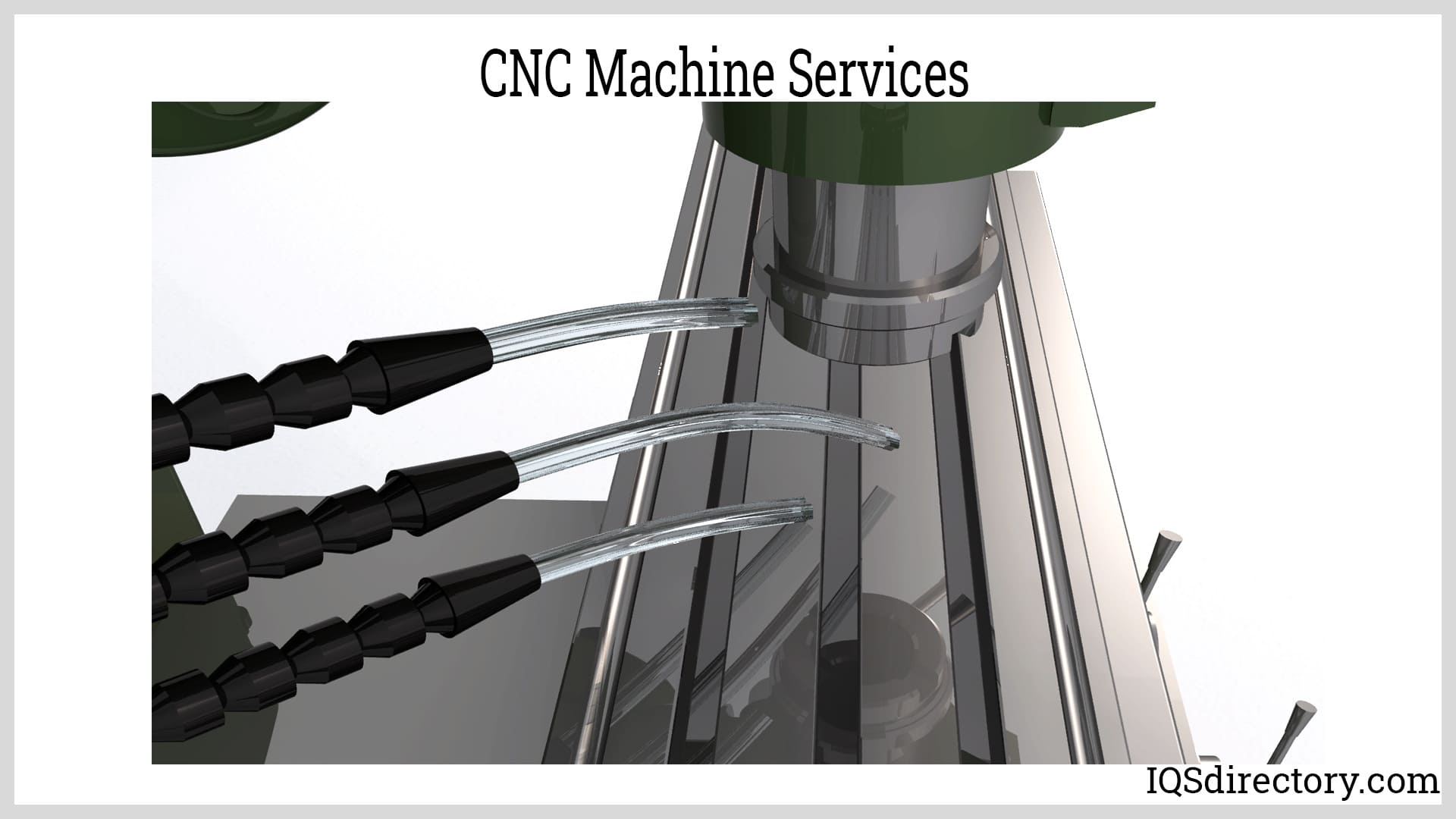
CNC programs use the various commands in conjunction with other lettered instructions to direct a CNC machine‘s operations. G-codes instruct the machine to perform certain functions for a lathe or mill while M-codes handle the operation of the machine using additional lettered codes representing addresses such as F for feed rate and S for spindle speed.
Although G-codes are generally self-explanatory, a number of conventions are used in CNC programming. Programs start and end with the percent symbol. The program is always named using the format of O0001 to O9999. G-codes are modal. Any command remains active until canceled or reset by another command. Tools move according to interpolation, a combining of changes in both X and Y coordinates. CNC commands are either linear interpolation or circular interpolation where a tool can move along both axes simultaneously.
A List of G-Code Commands
Table 1 lists common G-code and an interpretation of turning or milling operations.
Fanuc G-Code List (Lathe)
| G code | Description |
|---|---|
| G00 | Rapid traverse |
| G01 | Linear interpolation |
| G02 | Circular interpolation CW |
| G03 | Circular interpolation CCW |
| G04 | Dwell |
| G09 | Exact stop |
| G10 | Programmable data input |
| G20 | Input in inch |
| G21 | Input in mm |
| G22 | Stored stroke check function on |
| G23 | Stored stroke check function off |
| G27 | Reference position return check |
| G28 | Return to reference position |
| G32 | Thread cutting |
| G40 | Tool nose radius compensation cancel |
| G41 | Tool nose radius compensation left |
| G42 | Tool nose radius compensation right |
| G70 | Finish machining cycle |
| G71 | Turning cycle |
| G72 | Facing cycle |
| G73 | Pattern repeating cycle |
| G74 | Peck drilling cycle |
| G75 | Grooving cycle |
| G76 | Threading cycle |
| G92 | Coordinate system setting or max. spindle speed setting |
| G94 | Feed Per Minute |
| G95 | Feed Per Revolution |
| G96 | Constant surface speed control |
| G97 | Constant surface speed control cancel |
Fanuc G-Code List (Mill)
| G code | Description |
|---|---|
| G00 | Rapid traverse |
| G01 | Linear interpolation |
| G02 | Circular interpolation CW |
| G03 | Circular interpolation CCW |
| G04 | Dwell |
| G17 | X Y plane selection |
| G18 | Z X plane selection |
| G19 | Y Z plane selection |
| G28 | Return to reference position |
| G30 | 2nd, 3rd and 4th reference position return |
| G40 | Cutter compensation cancel |
| G41 | Cutter compensation left |
| G42 | Cutter compensation right |
| G43 | Tool length compensation + direction |
| G44 | Tool length compensation – direction |
| G49 | Tool length compensation cancel |
| G53 | Machine coordinate system selection |
| G54 | Workpiece coordinate system 1 selection |
| G55 | Workpiece coordinate system 2 selection |
| G56 | Workpiece coordinate system 3 selection |
| G57 | Workpiece coordinate system 4 selection |
| G58 | Workpiece coordinate system 5 selection |
| G59 | Workpiece coordinate system 6 selection |
| G68 | Coordinate rotation |
| G69 | Coordinate rotation cancel |
| G73 | Peck drilling cycle |
| G74 | Left-spiral cutting circle |
| G76 | Fine boring cycle |
| G80 | Canned cycle cancel |
| G81 | Drilling cycle, spot boring cycle |
| G82 | Drilling cycle or counter boring cycle |
| G83 | Peck drilling cycle |
| G84 | Tapping cycle |
| G85 | Boring cycle |
| G86 | Boring cycle |
| G87 | Back boring cycle |
| G88 | Boring cycle |
| G89 | Boring cycle |
| G90 | Absolute command |
| G91 | Increment command |
| G92 | Setting for work coordinate system or clamp at maximum spindle speed |
| G98 | Return to initial point in canned cycle |
| G99 | Return to R point in canned cycle |
The Importance of Subprograms and Macros in CNC Programming
The M98 command calls up a subprogram followed by a number to tell the machine how many times to repeat the subprogram. A M-code, M99, ends the subprogram. M98 P53000 is a subprogram where P indicates the program number O3000, and 5 is the number of times the subprogram will repeat. Another version of a subprogram, as seen on FANUC controllers, follows the form of M98 P3000 L5. As with the previous example, M98 indicates a subprogram. P3000 is the subprogram O3000 while L5 is how many times it will repeat. Subprograms are used for a variety of operations such as indexing the Z-axis between repeating cuts. In both scenarios, M99 returns the controller to the main program or previous subroutine if they are nested. Another common subprogram resets modal statuses before or after a tool change, which is a safety measure.
A M97 subprogram references a line number in a program. The line number must be a machine program line number. The M97 code does not require separate programming and tells the selected line to repeat. As with M98 subprograms, a M97 code ends with M99.
Every CNC machine comes with a set of preprogrammed functions for the convenience of the users. These built in programs are also considered to be subprograms and are called up in G-code. The instructions for a machine describes the pre-existing codes and their function.
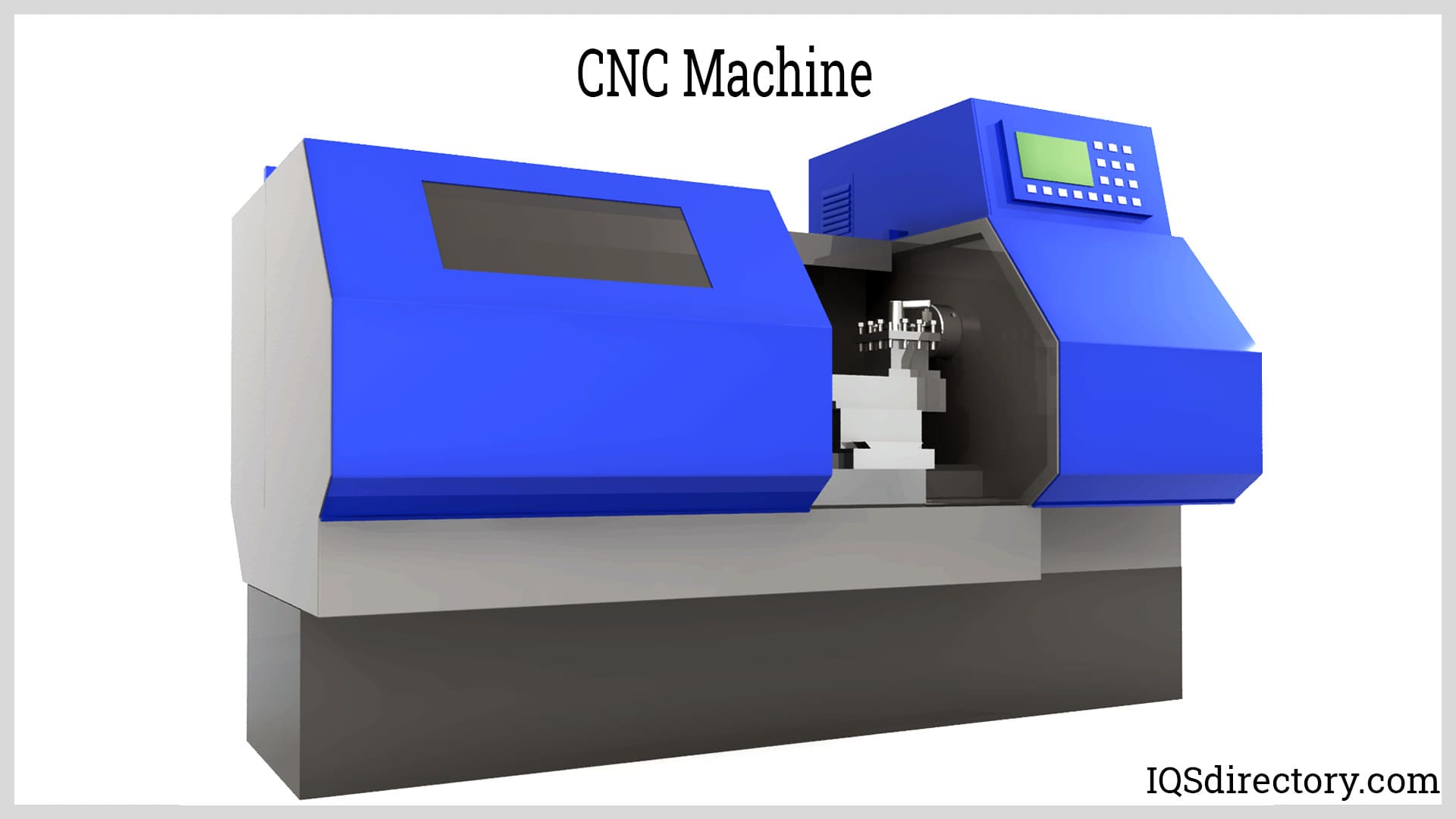
Macro programming offers a way to shorten codes and allow repetitive tasks easily and quickly. Feeds, applications for varied materials, and speeds can be adjusted using macro programming. Macro programming can change coordinate data and parameter settings to adjust G-Codes.
Macro programming makes it possible for the same program to machine several part sizes as they appear in a drawing. The variations are assigned addresses located in the program. G00 X#123 tells the machine to move to the location stored in variable address 123. Macros must be used carefully since changes can cause unexpected motions, crashes, and machine malfunctions.. Commanding a machine to perform a function too quickly may damage the part or machine. It is customary for CNC programmers to build checks to avoid such disasters.
Summary
G-codes and the other letter codes have become a common part of modern manufacturing. Engineers, operators, and other users need to understand the relationship between these essential codes and the actions of a CNC machine. A complete understanding of their importance can prove to be beneficial.
Leading G-Code Simulator Providers
There are many companies producing G-code simulators. Below we discuss several of these leading G-code simulators, their unique features, abilities, and characteristics, and the companies producing them.
gCode Viewer ( 3D Printing Canada)
gCode Viewer is a web-based G-code simulator that allows users to visualize and analyze G-code programs directly in their web browser. It offers a 3D representation of the toolpath and supports interactive manipulation of the model. Users can rotate, pan, and zoom to inspect the simulated machining process. gCode Viewer also provides basic analysis features, such as layer visualization, G-code line highlighting, and cross-sectional views. gCode Viewer is produced by 3D Printing Canada.
Ice SL Web Printer (Autodesk)
Autodesk produces Ice SL Web Printer. Ice SL Web Printer is a G-code simulator specifically designed for Stereolithography (SLA) 3D printers using the IceSL slicer software. It provides a web-based interface to preview and simulate the printing process before sending the G-code to the physical printer. Ice SL Web Printer offers layer-by-layer visualization, including support structures, and allows users to analyze and optimize the printing parameters. It helps users identify potential issues and ensures the accuracy of SLA 3D printing.
NC Viewer (MacHinistWeb)
NC Viewer is a web-based G-code simulator and viewer that supports a variety of CNC machines. It provides a simple yet powerful interface for visualizing G-code programs and simulating tool movements. NC Viewer offers real-time rendering of the toolpath, allowing users to observe the machining process dynamically. It also includes features like zooming, panning, and line highlighting for better analysis and understanding of the code. NC Viewer is created by MacHinistWeb.
G-Code Q'n'dirty (Carl Georg Schildknecht)
G-Code Q'n'dirty is a G-code simulator and editor designed for quick prototyping and testing of G-code programs. It focuses on simplicity and ease of use, providing a minimalistic interface for editing and running G-code. G-Code Q'n'dirty offers basic visualization of the toolpath and supports features like jogging the machine, manual control of axes, and real-time status monitoring. It is a handy tool for rapid G-code testing and verification. G-Code Q’n’dirty was created by an independent contractor, Carl Georg Schildknecht.
Cura (Ultimaker)
Cura is a popular open-source slicing software created by Ultimaker, a leading manufacturer of 3D printers. While not primarily a G-code simulator, it is used to prepare 3D models for printing by generating optimized G-code instructions. Cura features a user-friendly interface and allows for customizable print profiles. It provides a basic layer-by-layer visualization of the toolpath, helping users preview the printing process. Cura also supports automatic generation of support structures and offers compatibility with various third-party plugins. Overall, Cura's strengths lie in its ease of use, customization options, and its ability to generate high-quality G-code for 3D printers.
These G-code simulators each provide various unique features, abilities, and characteristics, catering to different needs and preferences of users, ranging from code analysis and visualization to web-based interfaces and specific applications like SLA 3D printing.
What Is CNC Machining?
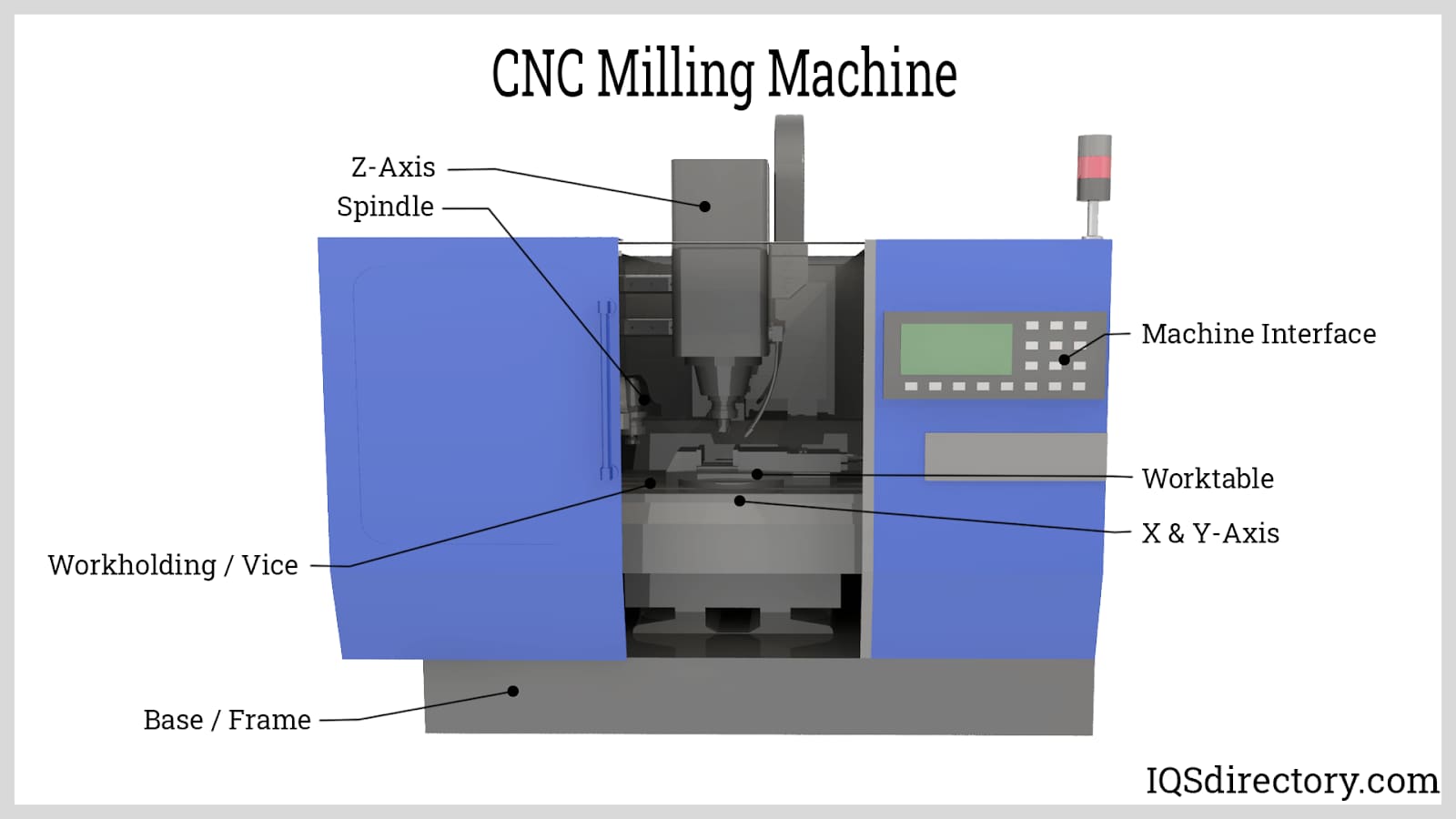
CNC machining is a sophisticated computer numerical control process that uses precision programming to control equipment over three to five axes with remarkable accuracy and repeatability. This subtractive manufacturing method removes excess material from metal, plastic, or other raw stock to create precise parts, prototypes, and production components. Designs for CNC machining are initially developed in CAD software and then translated into CNC code or G-code that directs the machine tools, cutting paths, spindle speed, feed rates, and tool changes.
CNC machining is widely used for custom machining, tight-tolerance components, and high-volume production because it delivers consistent quality across every run. Depending on the application, it can include milling, turning, drilling, tapping, boring, and finishing operations, supporting both vertical and horizontal machining techniques for complex geometries and demanding specifications.
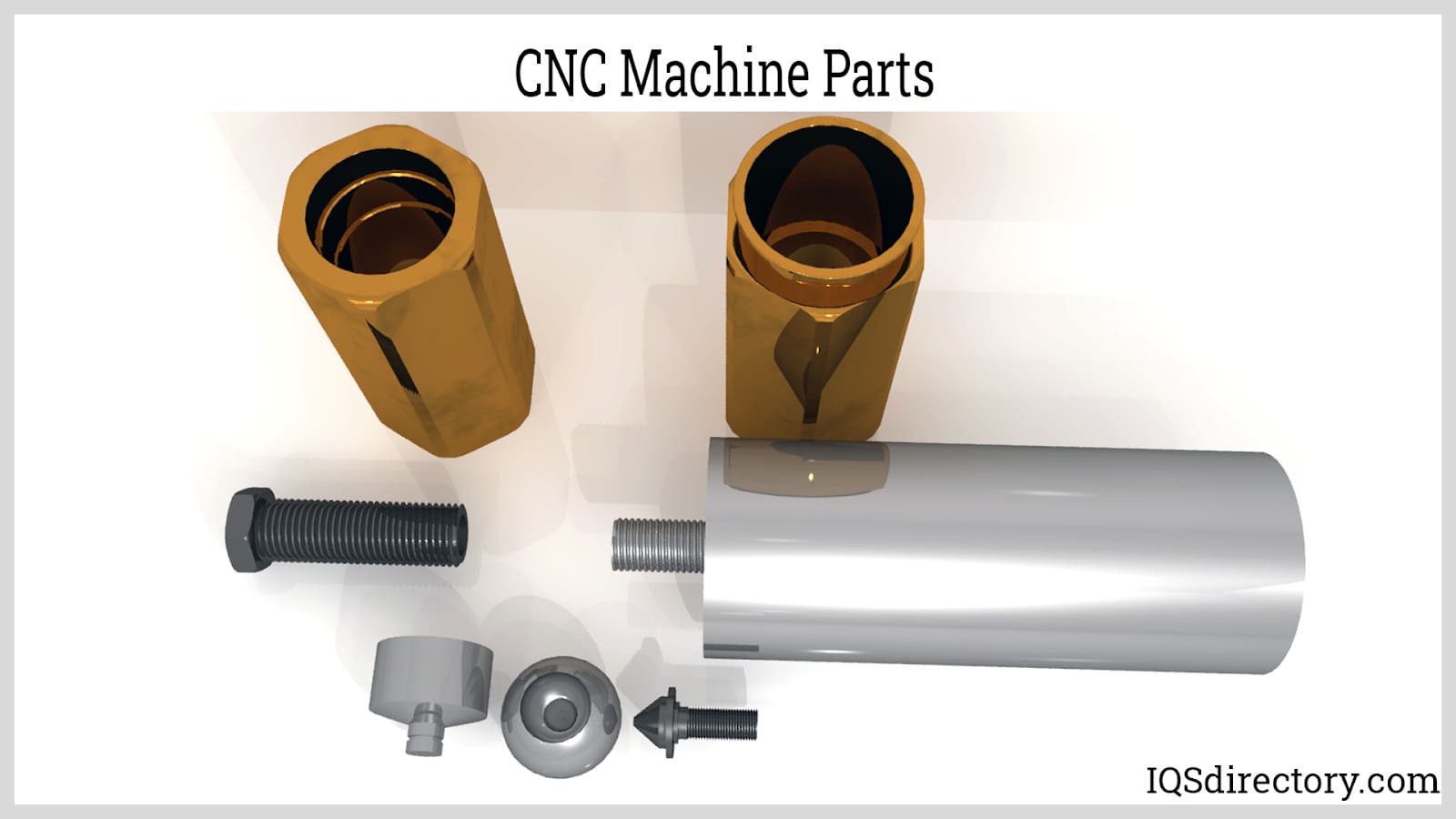
CNC machines can perform multiple tasks, allowing a part or component to be completed in one streamlined operation. This improves cycle times, reduces setup changes, and helps manufacturers maintain dimensional accuracy, surface finish quality, and part-to-part consistency. These machines are versatile, handling a wide range of applications such as bushings, collars, fasteners, fittings, inserts, machined components, washers, pins, nuts, spacers, spindles, standoffs, drive shafts, splined shafts, and other precision machined parts used in demanding industrial environments.
For buyers evaluating CNC machining services, key factors often include tolerances, material capabilities, lead times, production volume, and quality control standards. A reliable CNC shop should be able to produce custom parts from aluminum, stainless steel, brass, and engineering plastics while supporting rapid prototyping, short-run machining, and full-scale production machining. This makes CNC machining a practical solution for industries that depend on accuracy, durability, and efficient manufacturing workflows.
Frequently Asked Questions
What Does CNC Machining Involve?
CNC machining is a computer numerical control manufacturing process that uses CAD designs, which are converted into CNC code or G-code to direct machine tools. It removes excess material over three to five axes to produce precise parts, prototypes, and production components with tight tolerances.
What Are Common Applications of CNC Machines?
CNC machines create various precision machined parts, including bushings, collars, fasteners, fittings, washers, pins, nuts, spacers, spindles, drive shafts, splined shafts, and more, efficiently and accurately in a single operation across milling, turning, drilling, and tapping processes.
How Does CNC Machining Ensure High Quality?
CNC machining delivers superior quality by combining precision-controlled movements with both vertical and horizontal machining techniques, resulting in consistent, accurate turned components, reliable surface finish quality, and repeatable output for production runs.
What Advantages Do Multi-Axis CNC Machines Offer?
Multi-axis CNC machines perform multiple tasks and operations in one streamlined setup, reducing manual handling, minimizing setup time, improving throughput, and increasing production speed while ensuring dimensional accuracy and complex part capability.
Which Industries Benefit Most from CNC Machining?
Industries requiring highly precise components—such as automotive, aerospace, medical, electronics, and industrial manufacturing—benefit greatly from CNC machining’s versatility and accuracy in producing complex parts, custom components, and high-tolerance assemblies.
The CNC Machining Process
CNC, or Computer Numerical Control machining, is a systematic and methodical process designed for the efficient manufacturing of parts. This technology uses computer-controlled machines to execute a range of tasks based on pre-programmed instructions, starting with the creation of a two- or three-dimensional design on a computer.
After the design file is uploaded and converted into code, the machine carries out each operation precisely according to the defined design specifications.
The CNC Machining Process
Unlike other manufacturing methods, CNC machining is a subtractive process that removes material layer by layer to achieve the desired shape.
Computer Programming
The success of CNC manufacturing largely depends on the initial programming. The software must be accurately coded with instructions that adhere to the machine's capabilities. The efficiency of CNC operations relies on the precision of these instructions, with careful attention given during development to minimize errors and avoid production delays.
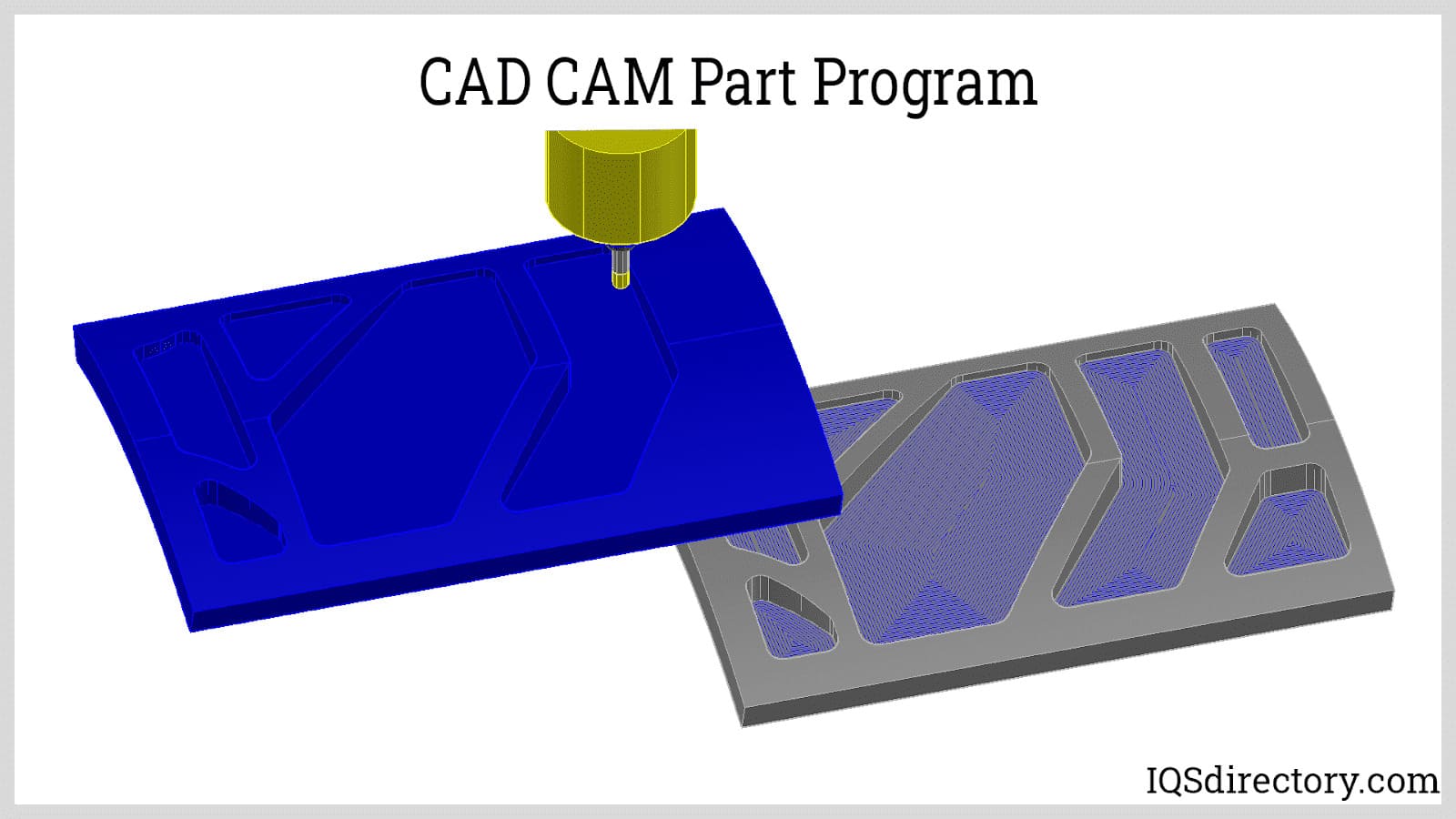
Computer Aided Design (CAD) and Computer Aided Manufacturing (CAM)
CAD-CAM refers to the software used for designing and machining parts with a CNC machine. CAD software is used to design, draw, and shape parts using geometric constructs. CAM software, in turn, converts the CAD designs into machine language known as G-Code.
Before translating the CAD model into machine language, the CAM software determines the cutting paths for the tools to remove excess material from the workpiece. Together, CAD and CAM ensure that the CNC machine receives precise instructions for executing the required cutting operations.
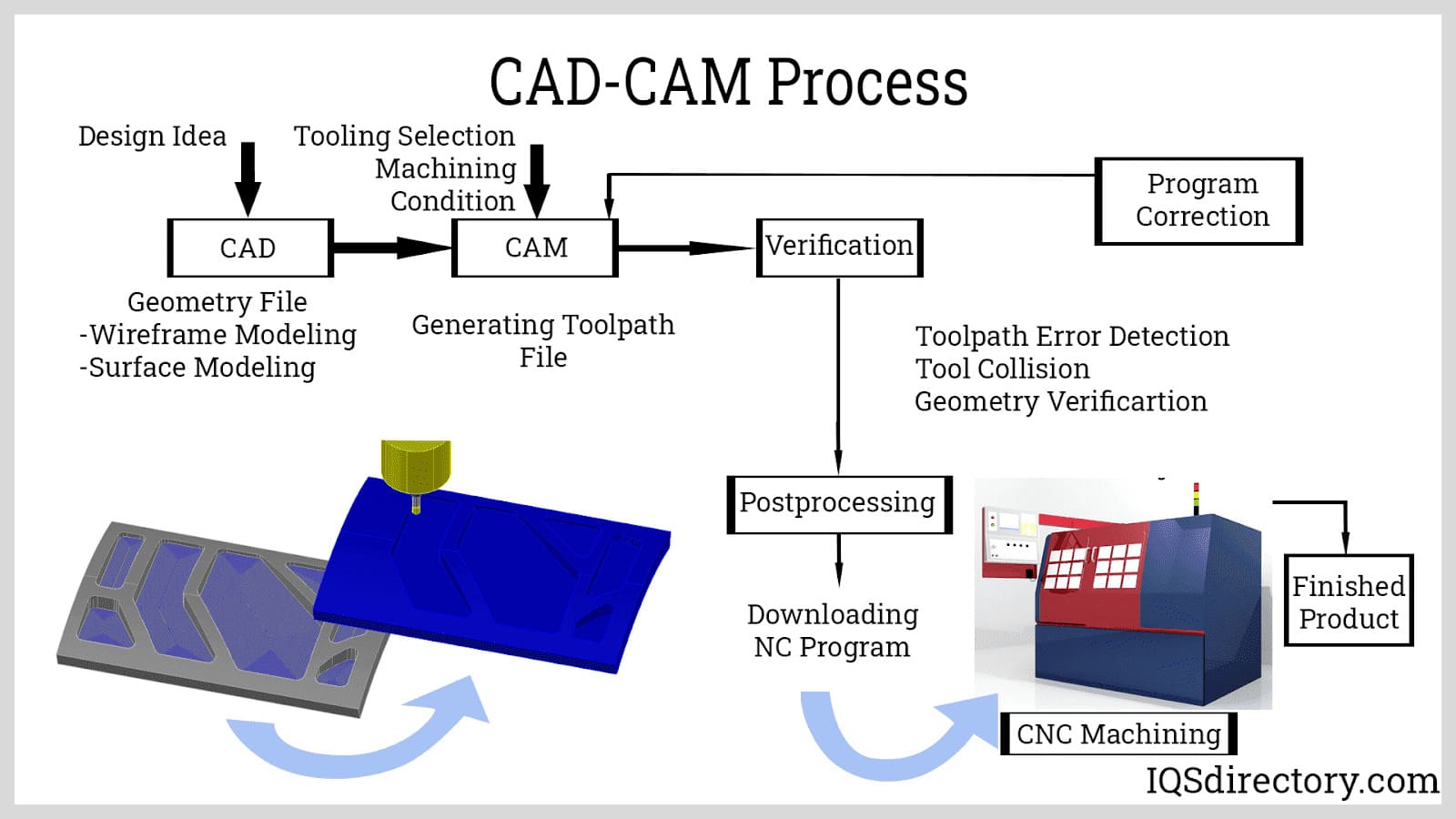
CNC Machine Setup
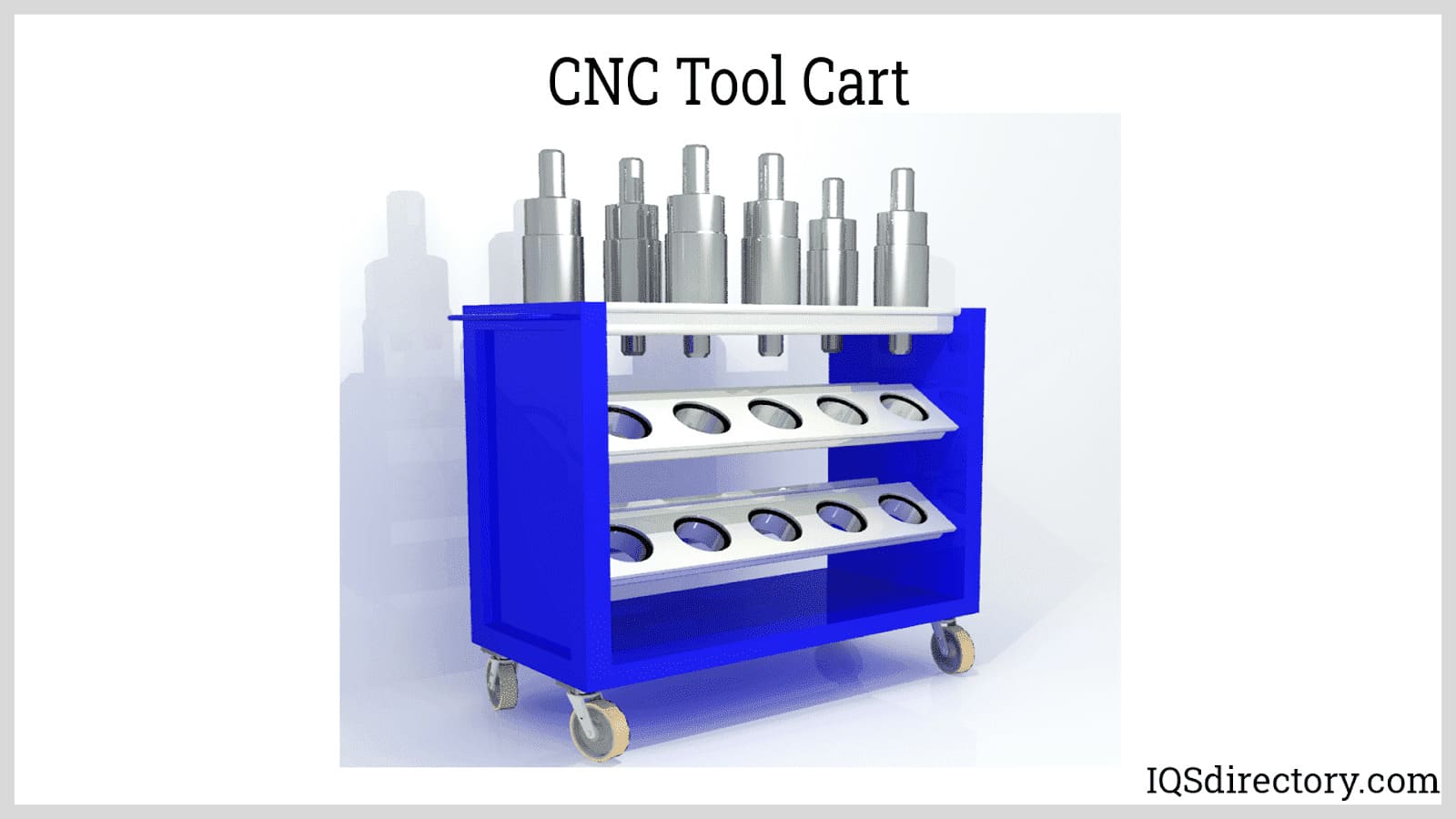
Before the CAD-CAM program can be uploaded to the machine, it must be equipped with the correct cutting tools. Tool changing can be done in two ways: manually by selecting tools from a tool cart and placing them into the machine, or automatically using an ATC (Automatic Tool Changer). The ATC stores tools on a drum or chain and, when programmed, swaps out old tools for new ones. This method is designed to enhance efficiency and save time.
The ATC, by automating the tool change process, ensures that the machine operates smoothly and reduces downtime compared to manual tool changes.
A critical aspect of CNC machine setup is establishing the gage point, which measures the distance from a reference point to the tool’s tip. Accurate gage point setting ensures the tool cuts to the correct depth. Additionally, testing the coolant or lubricant is a crucial final step. Coolant can be delivered via air, mist, flood, or high pressure. It is vital to check the coolant’s pressure, as incorrect pressure can damage the tool, while incorrect quantity can harm the machine and equipment.
A common setup mistake is failing to properly check the coolant. Issues can include unpleasant odors, insufficient levels, low concentration, or improper filtration.
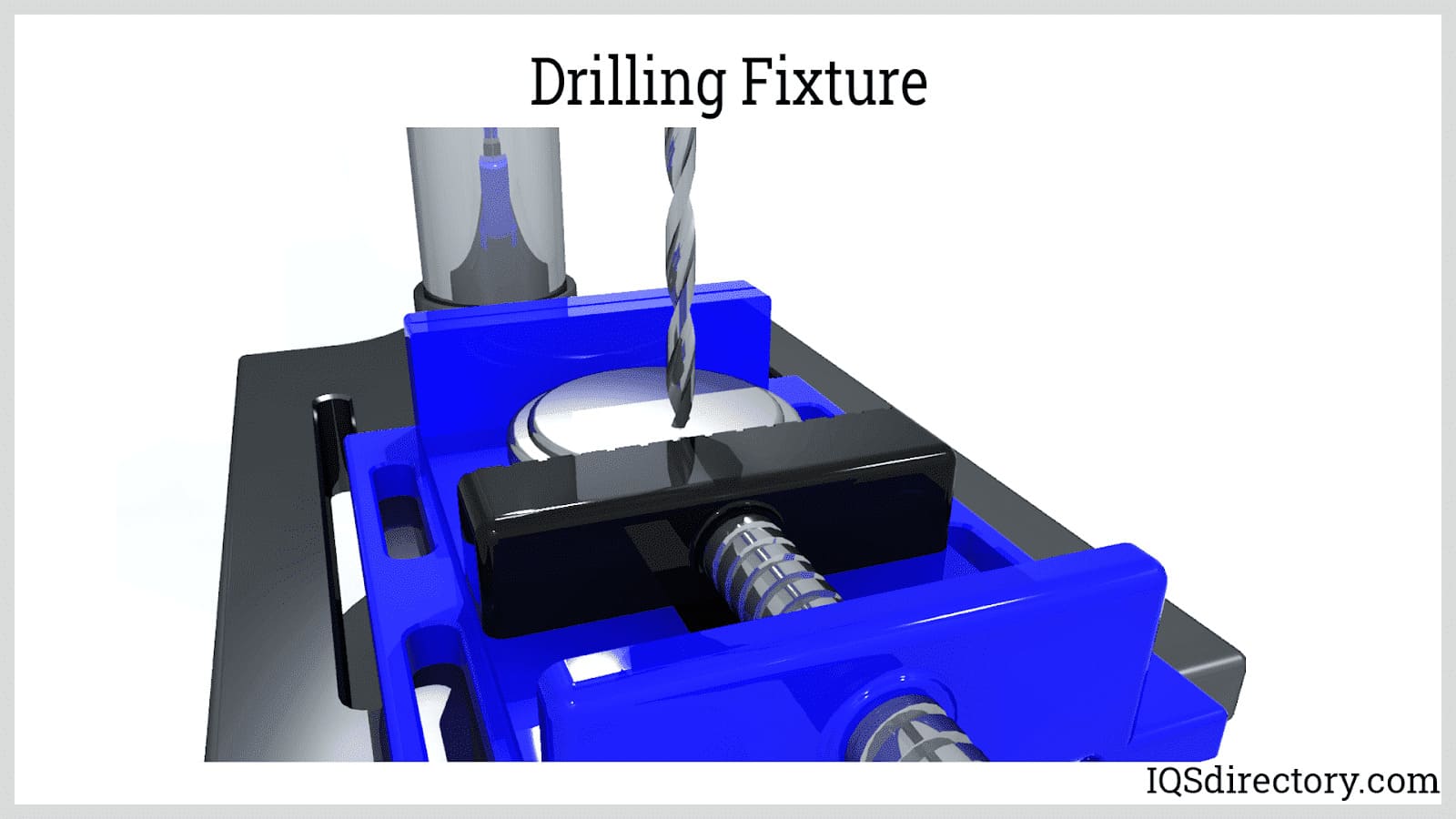
Work Holding
Work holding devices, also known as CNC fixtures, are used to secure, support, and mount the workpiece during machining. These devices ensure accuracy, consistency, and smooth operation by stabilizing the workpiece. Unlike jigs, which are designed for guiding tools, work holding fixtures focus on securing and supporting the workpiece itself.
Similar to CNC machine tools, work holding fixtures come in various types, including those for turning, milling, drilling, boring, and grinding operations.
Loading the G-Codes
G-codes are widely recognized as the universal language for CNC machining. While standard G-codes apply to all CNC machines, manufacturers often customize them to suit their specific equipment. Each G-code corresponds to a particular movement of the cutting tools within a CNC machine.
G-codes can be generated from CAD designs using various software, but they can also be handwritten or created using conversational programming, which does not require a CAD design. These codes can be uploaded to the CNC machine via USB, directly from the CAM computer, or programmed directly into the machine.
Program Proofing
Program proofing is the final step before making actual cuts. Its purpose is to verify the accuracy of the program and ensure that the CNC machine setup is correct, preventing issues with the G-code.
This process helps identify any errors in the G-code. Proofing can be done by "cutting air," where the machine runs the program without cutting into the workpiece, which can be time-consuming and occupy the machine. Alternatively, a G-code simulator, which is a computer program that replicates the CNC process, can be used for this purpose.
Machining the Part
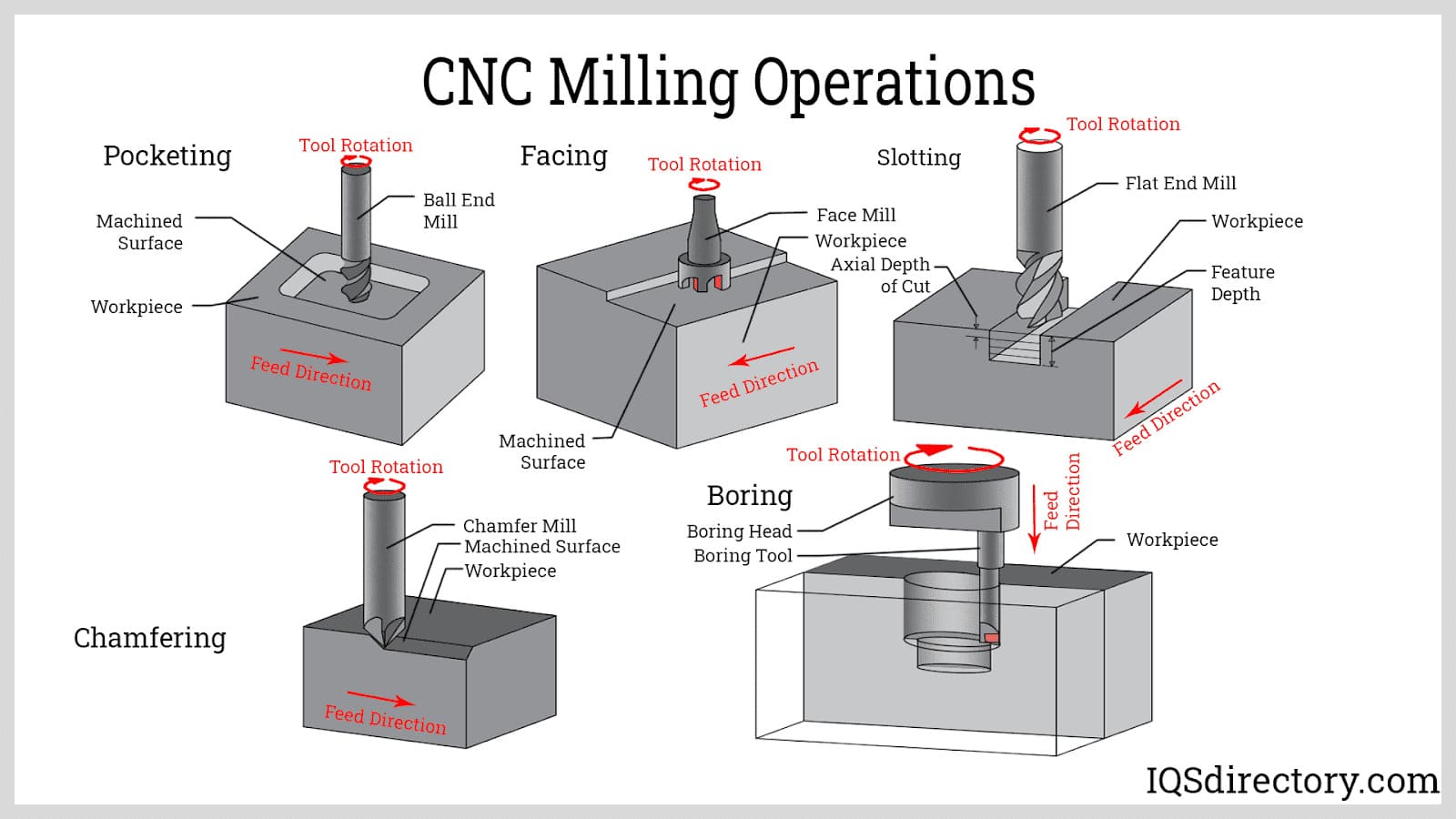
After completing all preparations, the workpiece can be inserted for cutting. It is crucial to monitor the first workpiece closely as it undergoes the CNC process. This initial piece acts as a prototype for subsequent parts and will provide valuable feedback on the accuracy and success of the programming.
Execution
Once the setup and testing are finished, the CNC machine can begin production. CNC machining enables manufacturers to produce parts more quickly, efficiently, and safely, with each part being an exact replica of the original design.
Read Next: CNC M-Code Commands
In this article you will learn:
- M-Codes and their meaning
- Fanuc M-Codes and their description for a Mill and Lathe
- The types of commands programmed into a CNC machine